Don't miss out on your Vitality fitness device points ever again!
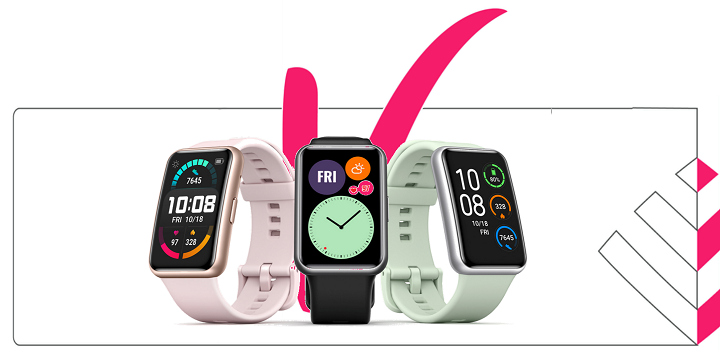
Did you know that you can earn up to 300 Vitality points a day by tracking your heartrate during workouts? Well, you can! And we've made sure that you never miss out by removing all the nooks and crannies for seamless syncing of your data to Vitality.
Over the past few months, we have noticed that your Huawei device is not syncing to Vitality correctly.
We have been working with Huawei and the Vitality Device Platform to upgrade the syncing capabilities of Huawei devices to Vitality and improve the connection for a more reliable data sharing platform.
Seamless device linking, loading...
The improvements are now in place and to benefit from them, you will need to delink and relink your device by following these steps:

DELINKING ON THE DISCOVERY WEBSITE
- Log onto the Discovery Website with your Discovery username and password.
- Click on Vitality.
- Click on Devices and apps.
- Scroll down and click on Huawei.
- Click on De-link.
- If you get the 'Are you sure?' pop up, Click on De-link again.

DELINKING ON THE DISCOVERY APP
- Log into the Discovery app.
- Select Vitality.
- Select Devices and apps.
- Select Huawei.
- Click on De-link.
- If you get the 'Are you sure?' pop up, Click on De-link again.
HOW TO LINK YOUR HUAWEI DEVICE USING THE DISCOVERY WEBSITE
- Log in to the Discovery website with your Discovery username and password.
- Click on Vitality.
- Click on Devices and apps.
- Scroll down and click on Learn more under Huawei.
- Click on Link my Huawei Account.
- Agree to the honesty pledge.
- Follow the prompt to log in to your Huawei account using your account username and password.
- The Huawei Health app will open and you may be prompted to capture your username and password again.
- You can then give Huawei permission to share your workout data with Vitality.
HOW TO LINK YOUR HUAWEI DEVICE USING THE DISCOVERY APP
- Log into the Discovery app, select >Vitality > Devices and apps > Link a device or app, and select Huawei.
- Accept the Honesty Pledge and Vitality device permissions.
- Log in using your Huawei account username and password.
- The Huawei Health app will open, and you will be required to capture your username and password.
- Choose the data that you would like to share with Vitality and then confirm your connection.
- Once you have successfully linked your Huawei Health app, select Done.
- Huawei will now appear under your list of Linked devices and apps.
At Discovery Vitality, we are committed to providing you with round-the-clock exceptional service, which is why we are delighted to welcome you to Vitality 24/7. With Vitality 24/7, you can ask a live Vitality agent anything, anytime via Ask Discovery on WhatsApp, the Discovery app or discovery.co.za.
To start receiving real-time assistance with Vitality 24/7, you can use one of the following methods:

- Register for Ask Discovery on WhatsApp or Scan the QR code below:
- Click on the pink icon on the Discovery app or discovery.co.za.
Once in the chat function, type Chat to an agent or Chat to a consultant to start chatting to a live agent.
Alternatively, you can still call Discovery on weekdays between 07:00 and 18:00 on 0860 99 88 77.