What is Personal Health Pathways?
Personalised healthcare pathways
A simple journey, personalised for you. We know that everyone is unique, so, your approach to health should be as well.
Get started!
Available wherever and whenever you need it
It's as easy as accessing Personal Health Pathways in the Discovery Health app.
Simplified next best actions
These actions are hyper-personalised to you by leveraging the world's largest clinical, lifestyle and behavioural data set, in combination with advanced machine learning and data science capabilities.
Rewarding you for improving your health
Complete your personal actions in the given time to reveal and claim your rewards. Your rewards are dynamic and hyper-personalised, which means the value of the reward is customized to each individual and differs for each individual.
How to get started
Download the Discovery Health app
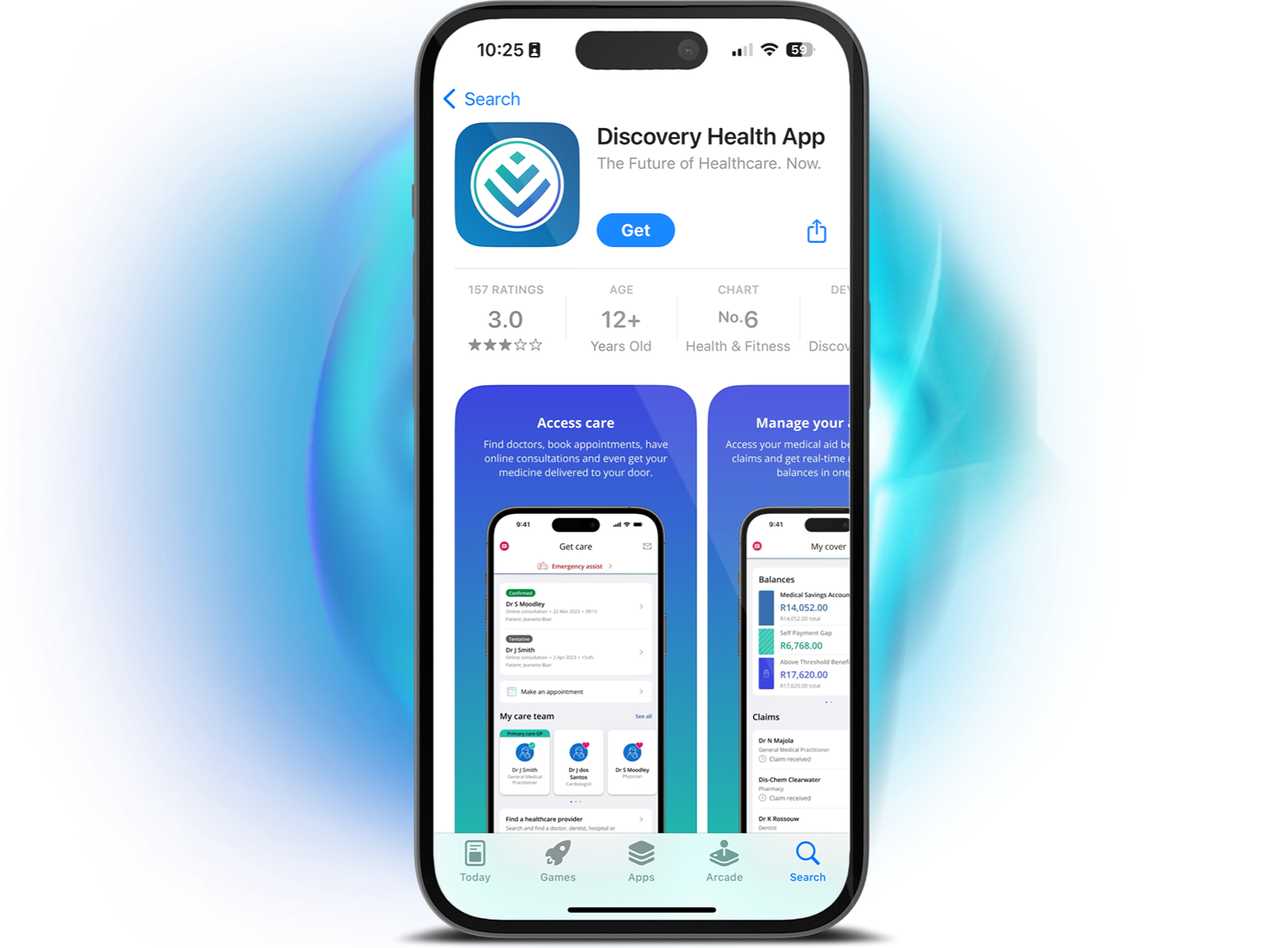
You can start your journey on the homepage of the Discovery Health app. Don't have the app? Download it now!
![]()
To enable notifications, open your device's Settings and find the Discovery Health app. Then, go to Notifications and turn on Allow Notifications. Once enabled, you'll start receiving important updates and reminders directly from the app.
You can earn personalised rewards!
Complete your personal actions in the given time to close your rings and earn personalised rewards. Rewards are different for every individual because they are tailored to consider your specific circumstances, health status, abilities, and potential challenges you might face in completing the action. And the best news? All members of Discovery Health Medical Scheme* have access and can start today!
*Only available to Discovery Health Medical Scheme members who are 18 years or older.
When you close your health ring, you can redeem an instant reward in the Discovery Health app that's personalised just for you.
When you close your exercise ring, you can play the weekly gameboard on a Wednesday or redeem an instant reward in the Discovery app or Discovery Bank app.
Frequently asked questions
Understanding Personal Health Pathways
Personal Health Pathways is designed to help you get healthier by completing personalised health and exercise actions based on your unique healthcare needs. By completing these actions, you'll close your rings and earn rewards. It is free to all eligible members of Discovery Health Medical Scheme.
Personal Health Pathways is available to all eligible members of Discovery Health Medical Scheme, and it is completely voluntary. Members can choose to engage with Personal Health Pathways and enjoy personalised health and exercise actions, close their rings, and earn rewards.
A Challenge is a structured, goal-oriented health journey offered through Personal Health Pathways. It's designed to help you build lasting health habits by completing a series of small, manageable tasks called next best actions.
You'll get a personalised Challenge based on your health profile. Once you accept it in the Health app, it starts the following Saturday. You'll complete small, guided actions each week - some are compulsory, some optional. As you go, you'll earn rewards like Ðiscovery Miles and Personal Health Fund Boosts. You can track your progress, get motivational messages, and receive a wrap-up summary at the end. It's a simple, rewarding way to build healthy habits.
For 2026, and based on the current Challenges being offered, Challenges usually last 5 or 10 weeks, depending on the type. The duration is shown when you accept the Challenge, and it starts on the first Saturday after acceptance.
The Challenge you receive is personalised, based on your unique healthcare status and subject to eligibility criteria:
Better Health Challenge: Build a habit of tracking crucial health metrics consistently to better manage your chronic health and detect potential health risks early. For example, Monitor your blood pressure and Monitor your glucose Challenge. Some Challenges may be subject to an eligibility criteria.
Move More Challenge: Build the habit of being physically active regularly for improved long-term health and wellbeing. For example, Get Active and Stay Active Challenge.
Getting started with Personal Health Pathways
You can access Personal Health Pathways by logging in to the Discovery Health app and navigating to the Personal Health Pathways page by scrolling down on the home page. Personal Health Pathways will be explained to you when you log in for the first time. Once you've accepted the terms and conditions, you'll be able to immediately view and start with your Health and Exercise actions.
The Discovery Health app is a digital healthcare tool created for members of Discovery Health Medical Scheme (DHMS). The app provides a single platform for all your healthcare needs. The app gives you access to Personal Health Pathways, which is a personalised health journey tailored to your unique health status, with guidance on the next steps to take to improve your health.
The Discovery Health app is available in the Google Play Store for Android devices and in the Apple App Store for iOS devices.
Search in your Store for "Discovery Health" and choose the option that says "Discovery Health App".
The Discovery Health app is not available in the HUAWEI App Gallery. Please use the Google Play Store if you have a HUAWEI device.
Your login details for the Discovery Health app are the same as the details you use to log in to the Discovery app, Discovery Bank app or website. If you have forgotten your username or your password, please follow the "Forgot Username" or "Forgot Password" options on the Discovery Health app or on the Discovery website and follow the prompts to reset your login details. Please make sure that we have the most up-to-date contact information for you to reset your details, including your cellphone number and email address.
Should you require any additional assistance, you can call us on 0860 99 88 77.
To opt in to Personal Health Pathways, you need to accept the terms and conditions in the Discovery Health app. Here's how:
- Log in to the app.
- Tap on the Personal Health Pathways tile on the home screen.
- Scroll through the screens that explain the key features and how to link your device and phone.
- The terms and conditions are available for your perusal and can also be downloaded.
- By clicking on Continue, you'll activate Personal Health Pathways and automatically accept the terms and conditions.
- Log in to the app.
- Tap on the Personal Health Pathways tile on the home screen.
- Select the more option menu on far right
- Select the "Manage programme" tab
- Select on the "End programme" option to opt out.
Should you require any additional assistance, you can call us on 0860 99 88 77.
All you need to know about your actions
Next best actions are personalised actions recommended to help you improve your overall health. Each action is tailored to your unique needs and supports progress toward closing your health and exercise rings. By completing these actions, you move closer to your health goals and earn rewards. To understand why it is important to you, tap an active next-best-action card for detailed information.
Your next best actions are designed exclusively for you, so you'll receive actions that align with your unique health and exercise goals. Artificial intelligence and data science modelling determine multiple clinical, exercise and lifestyle actions for every member of Discovery Health Medical Scheme.
Your actions will differ from those of your family and friends because each member's pathway is unique. Your pathway depends on your health status, and it is made up of a series of next best actions that lead to better long-term health.
You'll see a variety of clinical, screening, lifestyle, and physical activity actions designed to support your health. These may include completing a Health Check, visiting your dentist, nominating your primary care doctor, and more. In addition, you'll find activity-based actions such as taking a required number of steps per day, completing a parkrun, or walking 2,500 steps three times a week.
There are three types of actions:
- Health actions: Health actions are clinical, screening, and lifestyle steps like completing a Health Check or visiting your dentist. Each action helps you close your Health ring.
- Exercise actions: Your exercise ring includes personalised physical activity actions like walking, completing a workout, or doing a parkrun. Each action helps you close your Exercise ring.
- Challenges
All health activities recommended for you are subject to your plan benefits and funding. If your plan doesn't cover a specific activity or if your benefits are finished, you'll need to pay for it yourself.
Completing your actions helps you make progress towards closing your ring. Once you've closed your ring, you earn personalised rewards.
Pathways will automatically pause in any of the following events:
- Your membership of Discovery Health Medical Scheme has been suspended.
- You're getting nursing care at home instead of at hospital.
- You were admitted to a medical facility. This includes a hospital, day clinic, psychiatric facility, drug and alcohol rehabilitation facility, and step-down facility.
- When your pathway has been paused, you won't get any communication about Personal Health Pathways, and you won't have to complete any next best actions.
If your pathway is paused due to admission to a medical facility, it will automatically resume after your discharge. It may take 2 to 4 weeks post-discharge for your pathway to resume.
If you would like to resume your pathway before it is automatically reinstated, you can call us on 0860 99 88 77 for assistance.
Once you've snoozed an action, your action will be paused. You can choose to pause your action for a minimum period of 7, 14 or 30 days. When your selected snooze period ends, you may not see your action immediately. It will appear again after your current actions are completed or have expired, and it may close your ring by a different amount than before.
You can temporarily pause a health action in the Discovery Health app if you're unable to complete the action in the allocated time, by snoozing it. Just click the action and tap Snooze action. You'll have the option to snooze it for 7, 14, or 30 days, or any other customisable period up to 3 months. If you accidentally snooze an action, you can simply unsnooze it. You won't be able to snooze any physical activity actions.
The next best action will still be seen as successfully completed and will count towards closing your ring.
The date showing on your action is the date by when you need to complete that action. After that date, your action will automatically expire, and you will no longer see it as a next best action. The expired action will also show in your History.
Any actions completed after the expiry date, do not count towards closing your rings.
As long as the action was completed from when it surfaced to the expiry date, the claim will still count towards closing your ring, even if we received it after the action has expired.
Your actions must be completed by the date displayed for them to count towards closing your rings.
Once your action has expired, it will automatically be replaced by a new action, if you have one to complete. You can still continue on your path to better health. We'll show you what other actions to complete to get back on track.
In the Discovery Health app, you'll see up to <three> unique actions to complete. Depending on your unique pathway, you may have up to <two> health actions, and you'll always see an exercise action.
Your exercise ring consists of physical activity and fitness actions that you can take to improve your health. You can expect to see actions personalised to you. This may include walking, completing a workout, or completing a parkrun. By completing these actions, you make progress in closing your exercise ring.
To complete your next best actions:
- Log in to the Discovery Health app.
- Tap on Personal Health Pathways on your home screen, where you'll see your next best actions.
- Tap on the next best action for information on why it is important and how to complete the action.
Completing these next best actions before the expiry date will help you close your health and exercise rings in the Discovery Health app, which will earn you rewards.
Each action has a specific expiry date, which you can find on you action card. Your health actions must be completed by the date displayed. You'll get a new exercise action every week. You have from Saturday morning to Friday midnight every week to achieve your exercise goal.
There are two Personal Health Pathway rings: a health ring and an exercise ring.
You can close your health ring by completing your health actions. You need to complete each health action by the date displayed for it to count towards closing your ring.
You can close your exercise ring by completing your exercise actions. Each exercise action is valid from Saturday morning until the next Friday at midnight.
Health actions
Most of your health actions require a claim to be completed. Therefore, we'll know your action is complete once we've received and processed your medical aid claim. Please allow 3 to 5 days to process your claim for your action to be completed. Where pathology analysis is required, the claim may take longer to be submitted by the laboratory
You have up to four months to submit your claim. Your healthcare provider can also submit the claim directly to us. Even if your claim isn't paid because you don't have benefits available, we'll still mark the action as completed after processing your claim.
Members need to know what to do if they prefer not to submit a claim or if a claim is not ordinarily submitted as part of a capitation arrangement between the provider and Discovery Health. This needs to be explained in plain language.
Not all actions that are recommended to you will require a claim to be completed. Your next best actions are personalised for you, and include different actions such as completing online health and lifestyle assessments. Your next best action cards will include all the details on how to complete your actions.
If you complete an action before the expiry date, it will contribute towards closing your ring, even if we only receive the proof of completion after the expiry date.
Exercise actions
We'll know your action is complete within 48 hours of you doing the action. We track your completion based on the data we receive from your linked device. If your exercise next best actions still don't show as completed after 48 hours, you can call us on 0860 99 88 77. We're available Monday to Friday, from 07:00 to 18:00. Please make sure you've checked that your device is connected and has synced with your latest activities.
Once you've completed your recommended action, we wait for information to tell us you've completed this action. Then your action will be marked as complete.
All your completed actions can be viewed in your History. You can find your History on the menu available on your Personal Health Pathway home page in the Discovery Health app or website.
You can remove a specific next best action (NBA) by tapping on it to see more information. You'll see an option to Dismiss that specific NBA.
You and your doctor can choose from one of the following reasons to dismiss an NBA:
- You have a permanent medical condition
- You have a temporary medical condition.
Permanent medical condition
Examples of a permanent medical conditions is a disability that prevents you from completing the action.
Temporary medical condition
Examples of temporary medical conditions include an injury or a short-term illness that prevents you from completing the action in the next 30 days. You or your doctor must choose the period after which you'll see the action again. The maximum temporary dismiss period is 12 months
- You can snooze a recommended next best action for a short period if you cannot complete it in the allocated time. You can choose to snooze your action for a minimum period of 7, 14 or 30 days.
- You can only dismiss a recommended next best action due to a medical reason or condition. This could be for a short period which is a temporary dismiss or to prevent the action from surfacing again which is a permanent dismiss.
- If you have permanently dismissed an action due to a medical condition, it will never be surfaced to you again.
- If you have temporarily dismissed an action due to a medical condition, you or your doctor must choose the period after which you'll see the action again. Therefore, the action will be available to resurface after the selected period. It may not immediately appear after the dismissed period; it will appear again after your current actions are completed or have expired.
We'll know your health action is complete once your claim has been received and processed. This typically takes 3 to 5 days. Some actions take longer to complete, particularly where they require analysis at a laboratory. You don't need to contact us to tell us when you've completed the action.
You don't need to contact us to tell us when you've completed the action.
Completing your exercise action on the linked device will help you close your exercise ring.
You have up to 4 months from the date of service to submit your claim.
If the date of service of the claim occurred during the period where the action was visible to you, and before the action's expiry date, the action will still be regarded as complete and will still count towards closing your health ring, even if the claim is received after the expiry date.
We therefore continuously track claims to confirm completion of an action, even after the expiry date.
If you no longer have any health actions, you have completed all the available health actions in your pathway at that point in time. You may be assigned new health actions in time, as your pathway evolves or if your health status changes.
If you don't have any exercise actions in the Discovery Health app, please check that you have activated Vitality Active Rewards and linked your device.
All you need to know about rewards
Completing an action is a step closer towards closing your ring. Once you've closed your ring, you earn a reward.
Any unused positive balance in your Personal Health Fund will expire on 31 December of the year that you earned it. This means that they do not carry over into the next year, regardless of when you earned them.
The Ðiscovery Miles you earn will carry over for the duration of your use.
No, Personal Health Pathways is available to all members of Discovery Health Medical Scheme, and you will still be rewarded for closing your rings even if you are not a member of Vitality.
After closing a health ring, you can earn Ðiscovery Miles, which you can use to redeem a voucher at one of the partner stores in the Vitality network. This includes Sportsman's Warehouse, Exclusive Books and more.
After closing an exercise ring, you can choose an instant reward at one of the partner stores in the Vitality network or wait for Rewards Wednesday, where you can play the Active Rewards gameboard to earn Ðiscovery Miles on the Discovery Bank app or on the Discovery Corporate app (for non-bank members).
Once your health ring is closed and you earn a reward, you can redeem your health rewards in the Discovery Health app. Once an exercise ring is closed and you earn a reward, you can get an instant reward or wait to play the gameboard on Rewards Wednesday in the Discovery app or Discovery Bank app, if you are a Discovery Bank client.
You didn't select a reward within seven days of closing your health ring.
All you need to know about Vitality
To start engaging with exercise next best actions, you need to activate Vitality Active Rewards and link a suitable tracking device. This will help us track your progress towards achieving your weekly exercise actions and closing your exercise ring.
No, if you already have Vitality Active Rewards, you do not have to activate it again.
Yes; your Personal Health Pathways exercise ring is the same as the exercise ring in your Discovery Bank or Discovery app.
You can find out here how to link a wide range of devices and applications directly to Vitality. Once you've selected your chosen device, you'll need to give Vitality permission to receive the data.
Getting rewarded in Ðiscovery Miles
Ðiscovery Miles are Discovery's valuable rewards currency, which you can earn by getting healthier, driving well and spending responsibly. Ðiscovery Miles are more versatile - and more valuable - than cash, with several ways to earn and spend them depending on the Discovery products you have.
Ðiscovery Miles are subject to terms and conditions which can be found on the Discovery website.
You earn Ðiscovery Miles when completing your health actions and closing your health ring. You can also earn Ðiscovery Miles for closing your exercise ring and playing the Active Rewards gameboard on Rewards Wednesday.
As a Vitality Health member or member with Vitality through Personal Health Pathways, you can spend your Ðiscovery Miles in the Vitality Mall, which can be accessed through the Discovery app.
As a Discovery Bank client, you can spend your Ðiscovery Miles at our online and in-store Ðiscovery Miles partners. You can also spend your Discovery Miles on the Discovery Bank app by purchasing any value-added services which Discovery Bank offers.
There are several exciting ways to spend your Ðiscovery Miles. You can spend Ðiscovery Miles on exciting rewards of your choice in the Vitality Mall - from coffees and smoothies to shopping and entertainment rewards every week, often at discounted rates.
If you are a Vitality and Discovery Bank member, you can do even more with your Ðiscovery Miles.
You can view your Ðiscovery Miles balance in the Discovery Health app, Discovery Bank app and Discovery app or by logging in to the Discovery website using your Discovery username and password.
No, you do not need to be a Discovery Bank client to earn or spend your Ðiscovery Miles. As a Vitality Health member or a member with Vitality through Personal Health Pathways, you can continue to earn Ðiscovery Miles through Personal Health Pathways and other Ðiscovery Miles earning activities. You can spend your Ðiscovery Miles in the Vitality Mall through the Discovery app.
You only have one Ðiscovery Miles account and any Ðiscovery Miles you earn, regardless of where or how you earn them, will be saved in this account.
Discovery Bank clients can access their Ðiscovery Miles account in the Discovery Bank app.
Members without a Discovery Bank account can access their Discovery Miles through the Discovery Health or Discovery app.
Yes, each adult (18 years or older) on your health plan who activates their Personal Health Pathways will have their own Ðiscovery Miles account. Any Ðiscovery Miles you earn across Discovery's suite of products are saved in this account.
When you opt out of Personal Health Pathways, you will lose all rewards you have earned and not used. This includes Ðiscovery Miles and rewards in your Wallet.
Opting out of Personal Health Pathways will not impact your Ðiscovery Miles balance if you are still an active Discovery Bank client or Discovery Vitality member, you will continue to keep the Ðiscovery Miles you have earned which you can spend at our online and in-store partners.
If you cancel your health plan, you will lose all rewards you have earned and not used. This includes Ðiscovery Miles and rewards in your Wallet.
Cancelling your health plan will not impact your Ðiscovery Miles balance if you are still an active Discovery Bank client or Discovery Vitality member. You will continue to keep the Ðiscovery Miles you have earned.
Ðiscovery Miles expire five years from the date that you earn them. If you don't use your Ðiscovery Miles before they expire, you'll lose them..
Your total Ðiscovery Miles balance can expire if:
- You no longer have any of the following Discovery Miles earning products:
- Vitality Health / Vitality through Personal Health Pathways
- Vitality Drive
- Vitality Wealth
- Discovery Bank account (includes a JV Bin migrated client)
- You have not spent or earned any Ðiscovery Miles in a 12-month rolling period
To avoid expiry, spend or partially pay using your Ðiscovery Miles or engage in Vitality Health/Vitality through Personal Health Pathways, Vitality Drive or Vitality Money to earn more Ðiscovery Miles.
- Log in to your Discovery Health app
- Tap Personal Health Pathways on your home screen
- Tap the menu on your top right screen
- Select Rewards to view all your rewards.
You may not be seeing Personal Health Pathways on your app due to the following reasons:
- You are under the age of 18
- You have not activated Personal Health Pathways
- You are not a Discovery Health Medical Scheme member
- Our data shows that you may not be able to participate in Personal Health Pathways at this time. If you would like to participate and require more information, please call us on 0860 99 88 77.
Health actions:
- Your actions have expired. You can view your expired actions in the History section, which you can find on the Personal Health Pathways landing page menu.
- You have completed all your currently available health actions in your pathway. As soon as an action is available, it will be recommended to you.
To continue earning rewards, complete your weekly exercise action.
Exercise actions:
- Check that you have activated Vitality Active Rewards to ensure that you have a weekly exercise action.
If you do not have a card confirming that you have completed all your currently available health actions. or you have activated Vitality Active Rewards and do not have an exercise action, please contact us for further assistance. You can call us on 0860 99 88 77.
To see all your past actions, you need to:
- Log in to your Discovery Health App
- Tap Personal Health Pathways on your home screen
- Tap the menu on your top right screen
- You will be able to see your previously recommended Health and exercise actions.
If you are experiencing a technical issue with your app, you can call us on 0860 99 88 77.
If your Discovery apps are showing you different Personal Health Pathways information, please call us on 0860 99 88 77 for assistance.
More on Personal Health Pathways
from our executives
Personal Health Pathways is brought to Discovery Health Medical Scheme members by Discovery Health (Pty) Ltd; registration number 1997/013480/07, an authorised financial services provider and administrator of medical schemes. Personal Health Pathways is enabled by the combination of Discovery Health's healthcare capabilities and Vitality's behaviour change expertise. Discovery Health Medical Scheme, registration number 1125, is an independent non-profit entity governed by the Medical Schemes Act, and regulated by the Council for Medical Schemes. Vitality is a separate wellness product, sold and administered by Discovery Vitality (Pty) Ltd, registration number 1999/007736/07. Limits, terms and conditions apply.