Book Virgin Active classes in the Discovery app

Want to try the club before you sign up? Say less. You can now book an exercise class at Virgin Active on the Vitality Fitness platform in just a few taps in your Discovery app.
Everything you need is inside
If you've always wanted to get a peek inside a Virgin Active club, now is your chance.
As a Vitality member and Discovery Bank client without an active Vitality Gym benefit, you can now book an exercise class at Virgin Active right there in your Discovery app.
Come for Reformer Pilates, Lift Club, Strength & Conditioning, Cycle, Sound Bath and more.
Stay for recovery, co-working, smoothies and community - everything you need is inside.
Virgin Active Collection Clubs not included.
How it works
Getting active and rewarded has never been easier. In just a few taps in your Discovery app, you can:
- Discover Virgin Active clubs near your home, work or holiday spot.
- Book a class or access pass at Virgin Active.
- Pay with Vitality Pay by Discovery Bank or use your Ðiscovery Miles.
- Engage in a workout of your choice for 30+ minutes to earn 100 Vitality points.
Your gym points will automatically be allocated within three days of your gym visit. You can also track your workout with a Vitality-linked fitness device to earn up to 300 Vitality points.
Remember: you get 3 free lifetime visits at Virgin Active.
How to get started
Booking a class or access pass is easy with Vitality Pay enabled by Discovery Bank.
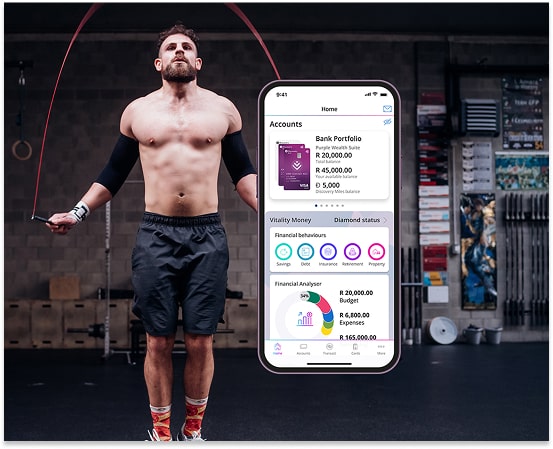
1) Set up Vitality Pay
To set up Vitality Pay, log in to your Discovery Bank app.
- Tap More at the bottom of the screen and select Vitality Pay.
- Select a Discovery Bank card to link to Vitality Pay.
- Enter a maximum transaction limit.
- Accept the terms and conditions.
- Tap Next > Confirm > Done.
Don't have a Discovery Bank account yet? Download the Discovery Bank app to activate your account, including the Ðiscovery Account with zero monthly fees.
2) Book a class or access pass
Download and log in to the latest version of the Discovery app to get started.
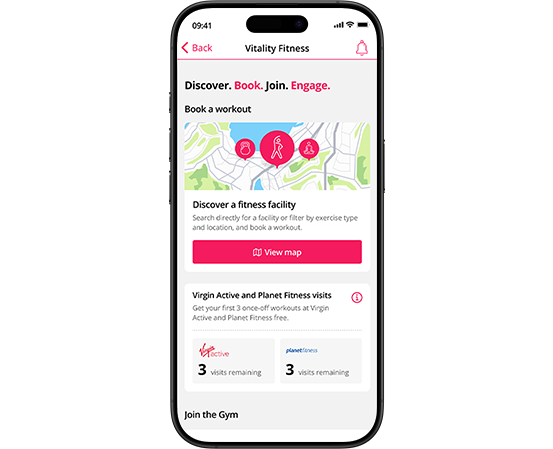
- Select Vitality Fitness on your home screen.
- Tap on the map to find a Virgin Active near you.
- View the weekly schedule and follow the steps to book a class or access pass.
- Pay using Vitality Pay, Ðiscovery Miles or one of your three once per lifetime free visits.
- Tap Confirm and show the confirmation screen when you visit the gym.
Ready to explore the gym? Read our terms and conditions to learn more.
Live life with Vitality.
What you need to know
Discovery Vitality members who don't currently have an active Virgin Active or Planet Fitness membership with the Vitality Gym benefit may book classes and access passes at Virgin Active through the Vitality Fitness platform in the Discovery app.
You need a qualifying Discovery Bank account with Vitality Pay activated to book and pay for workouts in the Discovery app.
You can book classes and access passes at any Virgin Active club nationwide except for Collection Clubs. To book, log in to your Discovery app and tap Vitality Fitness. Search for Virgin Active, view its class schedule, book a class or access pass, and pay with Vitality Pay by Discovery Bank, Ðiscovery Miles or one of your three once per lifetime free visits.
As a Vitality member without an active Vitality Gym benefit, you can continue to access gyms on a pay per visit basis by scanning the QR code at the reception. In addition, you can now book classes at Virgin Active ahead of time in the Discovery app through Vitality Fitness.
As a Vitality member without an active Vitality Gym benefit, you can get three free lifetime visits at Virgin Active through Vitality Fitness in the Discovery app.