Crush your goals with up to 10 free workouts a month!

Discovery People enjoy all the perks. As a permanent Discovery employee with an active Vitality membership, you can get up to 10 free workouts a month to exercise anywhere with Vitality Fitness.
Whether you want to kickbox the stress away or give HYROX a try, find your centre with yoga or bounce back at rebounding, the Vitality Fitness platform in the Discovery app has a workout you'll love. And you get loads of free workouts to try it all out.
Exercise anywhere with Vitality Fitness
All Vitality members get 2 free workouts a month on Vitality Fitness. Permanent Discovery employees get 2 additional free workouts a month. And the higher your Vitality Health status, the more free workouts you get.
- Learn more about Vitality status-based workouts
So, if you're a:
 Permanent employee (+2 free workouts)
- With Vitality Premium or Vitality Active (+2 free workouts)
- on Gold or Diamond Vitality status (+6 free workouts)
You could potentially get 10 free workouts a month (up to 120 a year) to access a wide range of fitness facilities, from boxing and bootcamp to CrossFit, HYROX, Pilates, rebounding, yoga and more.
Log in to your Discovery app and tap Vitality Fitness on your home screen to see how many free workouts you have waiting for you.
How to book a class on Vitality Fitness
To get started, all you need is Vitality Pay enabled by Discovery Bank. Download and log in to the latest version of the Discovery app and:
- Select Vitality Fitness on your home screen.
- Tap on Find a facility and filter by location or exercise type.
- Select a fitness facility near you and view the details and class schedule.
- Follow the prompts to book a class or access pass.
- Pay with your free monthly workouts, Vitality Pay or Ðiscovery Miles.
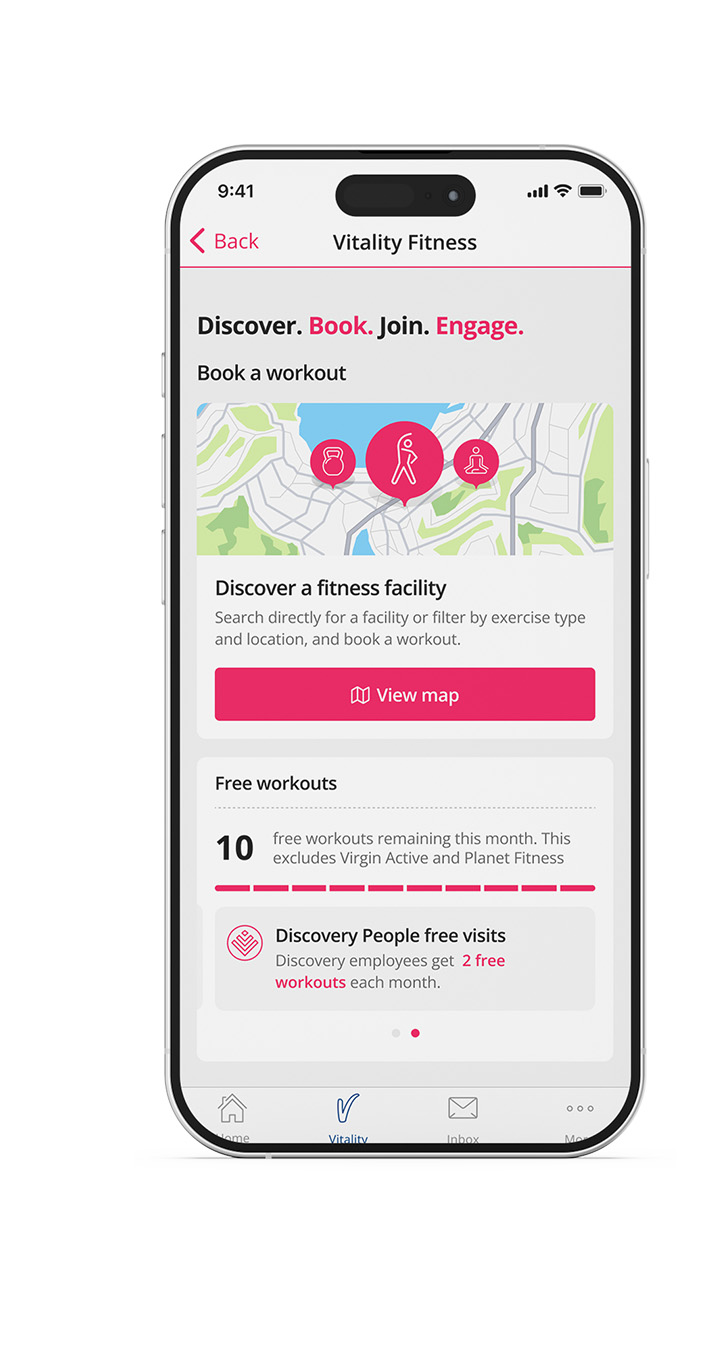
Watch our how-to video on YouTube to learn more.
How to link Vitality Pay
Booking a workout is easy with Vitality Pay enabled by Discovery Bank. To set up Vitality Pay, log in to your Discovery Bank app:
- Tap More at the bottom of the screen and select Vitality Pay.
- Select a card to link to Vitality Pay.
- Enter a maximum transaction limit.
- Accept the terms and conditions.
- Tap Next > Confirm > Done.
Don't have a Discovery Bank account yet? Download the Discovery Bank app to activate your account, including the Ðiscovery Account with zero monthly fees, and set up Vitality Pay today.
Live life with Vitality!